Home-country banking while abroad
Keep your Belgian (or other) bank and government sites on a home exit, without tunneling your whole Mac through that country.
Safari · Mac · Humble Tools
Set and forget.
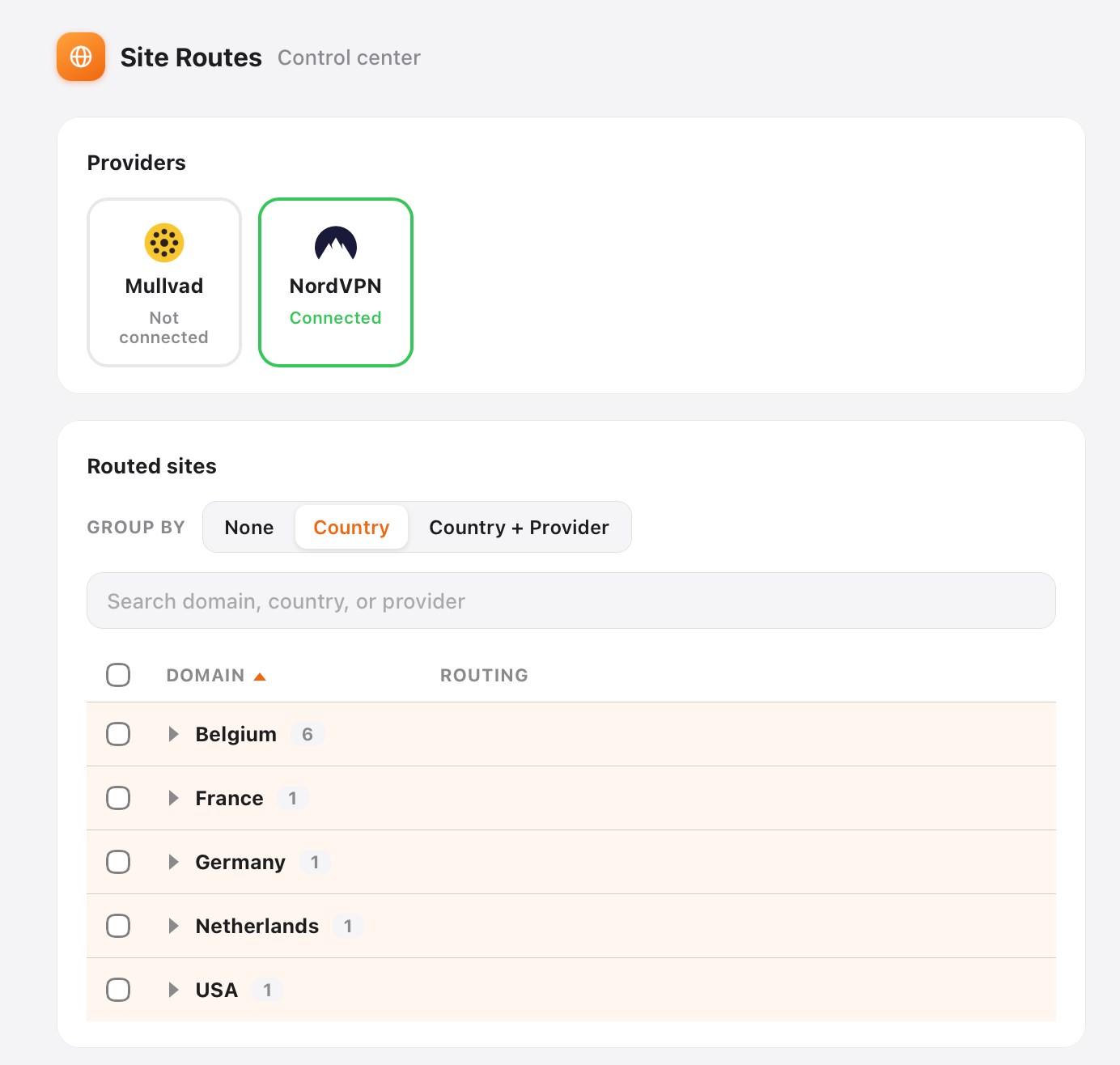
Your VPN is all or nothing, and you have to remember to flip it. Site Routes works per site in Safari, using the VPN you already pay for. Send your Belgian bank through Belgium while your news loads from the US. Set the route once and it remembers.
Notarized by Apple. Apple silicon Mac, Safari, macOS 13+. Free for everyday use (10 routes, one provider).
The pain
All or nothing. Turn the VPN on and every site goes through one country. Banking sites break. Local TV fails. Latency goes up for things that never needed a tunnel. Split tunneling by app helps a little, but Safari is one app: all your tabs share one pipe. (Why Safari can't use a VPN for only some websites, and your options.)
Remember to flip the switch. You open Netflix or a home-country news site and have to recall: VPN on? Which country? Then everything else is on the tunnel too until you remember to turn it off. That mental tax is the quiet annoyance.
Site Routes is per website and it remembers. Only the domains you pick go through the VPN. You set a site once. Next visit, that route is already there. Set and forget. The rest of your Mac stays normal.
How it works
Download the notarized Mac app, open it, and turn on the Safari extension. A short setup walk-through covers the helper and Website Access.
Use the provider you already pay for: NordVPN, Proton VPN, Mullvad, PIA, Windscribe, Red Shield, and more.
From the toolbar or Settings, send a site through a country. Next visit reuses that route automatically until you change it. You do not re-decide every time you open the tab.
NordVPN and Proton VPN links may earn us a commission if you sign up (no extra cost to you; we never see who signed up). See Privacy.
When people use it
Keep your Belgian (or other) bank and government sites on a home exit, without tunneling your whole Mac through that country.
Send one entertainment site through another country. Leave work tools and local sites on a direct path.
Open a site that expects a local IP without flipping a global VPN kill-switch every time you switch tabs.
The point is not another toggle to manage. Set the route once. Come back tomorrow and the site still goes through the right country. You stop thinking about the VPN at all.
Most of the web does not need a tunnel. Site Routes is built so the default is direct, and the exception is intentional.
Privacy
Pricing
$0
Forever for this floor
$19 once
Lifetime for major versions we ship under this SKU
Pay once. No subscription. Refund path via support if something is wrong.
FAQ
No. You keep your VPN subscription. Site Routes decides which sites use it and from which country, instead of forcing every tab through one tunnel.
Site Routes is built around Safari Web Extensions plus a local Mac helper. That is the honest surface we support today. Apple silicon is the ship target; we say so on the download.
Safari has none: it does not give extensions the proxy API that Chrome and Firefox VPN extensions rely on. Here is the full answer and every option compared: how to use a VPN only for specific websites in Safari.
No. Its local network helper does not fit App Store rules, so Site Routes stays a notarized direct download with Sparkle updates.
That is the hard part of any per-site router. In-app coaching walks the common steps (extension enable, Website Access for the local helper, first route). If you get stuck, write [email protected]. We aim to answer within 48 hours.
No. One payment. We are not building a suite subscription. The free floor stays genuinely useful.
Route one site. Leave the rest alone. Small tool. One job. On your Mac.